Warns you early
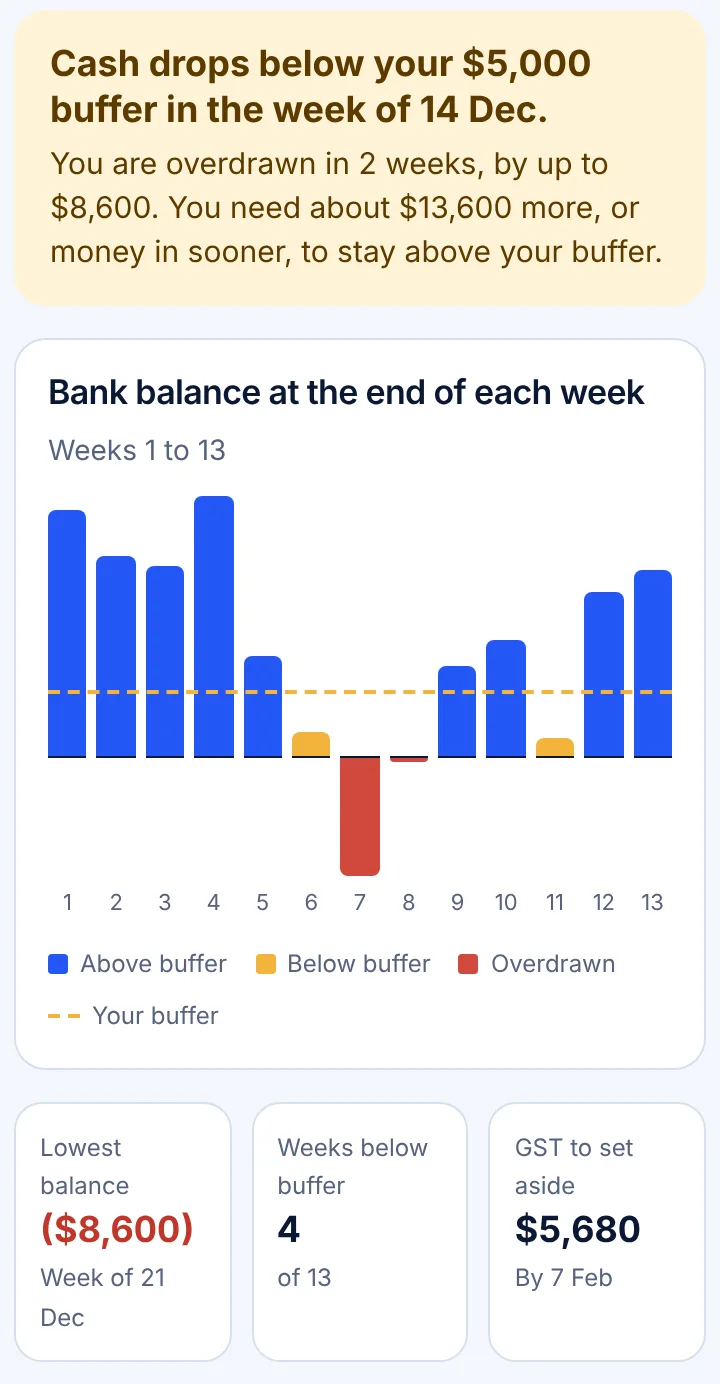
Set the lowest balance you are comfortable with. Any week below it is flagged, weeks ahead.
Know if you'll have enough cash, 13 weeks ahead. Your accounting software shows what already happened. This shows what's coming, week by week, and what to do about it.
Runs in your browser on a phone or computer. No account, nothing to download.
Set the lowest balance you are comfortable with. Any week below it is flagged, weeks ahead.
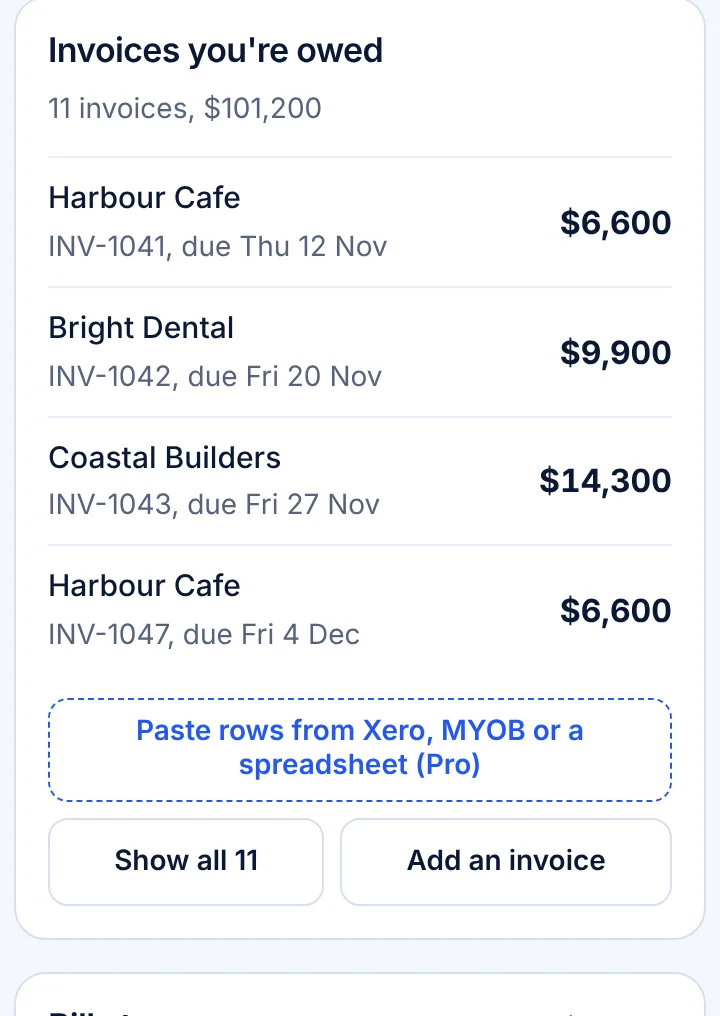
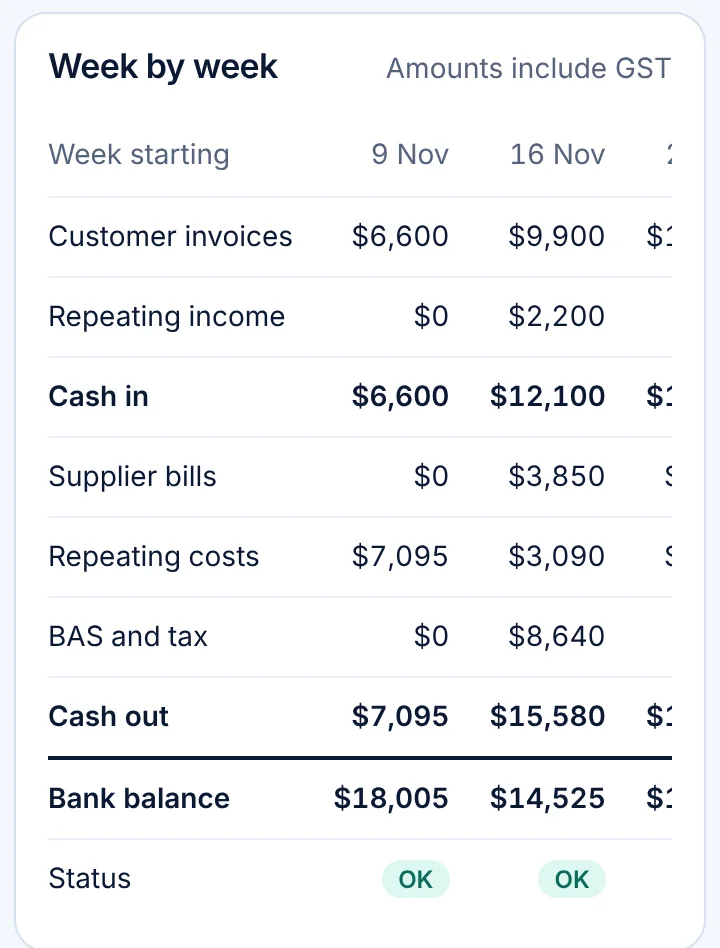
Invoices, bills, wages, rent and BAS each land in their week by date. You enter them once.
It works out how much of each week's cash is GST, so the next BAS isn't a surprise.
What if customers pay two weeks late? Slide it and watch the balance change.
Screens from the example business. The numbers are made up.
Prices are in Australian dollars. Pro is one payment for a year. It does not renew by itself.
$0
Enough to see where you stand
$99 a year
No limits, and every other CFPilot web tool
Prefer a spreadsheet you own and can change? The Excel model is a separate product.
No. Open the page and start. Your figures are kept in your browser on your device and are not sent to CFPilot.
Yes, but the two do not sync. Your forecast lives in the browser you typed it into. To move it, use "Back up, or use another device" at the bottom of the tool. If you bought Pro on one device, turn it on on the other from the Pro page with your email and the last 4 digits of the card.
No. You type or paste your own figures, and they stay in your file. CFPilot never sees them.
About 20 minutes the first time. After that, around 10 minutes a week: move the start date forward, update your bank balance and clear what has been paid.
No. The model is a planning tool that gives estimates. Check anything you lodge with your registered tax agent or BAS agent.
Yes, as a separate product. See the Excel model. It is not included in CFPilot Pro.